SSH that opens at the speed of a binary.
A native SSH client with a real terminal, an SFTP browser and editor, and a live system monitor inside one window. No Electron, no account, no telemetry. Open it, connect, work.
v1.1.0·see all artifacts·
01 · Terminal
A real terminal, drawn locally.
ShadowSSH ships a full VT terminal inside the app, built on libvterm. Colors, scrollback, mouse selection, copy and paste, control codes — all rendered natively, no web view between you and the bytes.
When you do want the system one, ShadowSSH drops you straight into Terminal.app, Windows Terminal, or whatever you have set as $TERMINAL. One click, same session.
- Boots instantly. SDL2 + ImGui, no JavaScript runtime to warm up.
- Real keyboard semantics. Ctrl+C / Ctrl+Z / Ctrl+D reach the remote shell, not the host OS.
- Honest scrollback. Select, copy, paste with the muscle memory you already have.
● api.service — ShadowSSH demo daemon
Loaded: loaded (/etc/systemd/system/api.service; enabled)
Active: active (running) since today 09:14:21 UTC
Memory: 412.8M peak: 487.1M
- [D].cache—
- [D]node_modules—
- [D]src—
- [F].env247 B
- [F]package.json1.8 KB
- [F]server.ts4.1 KB
- [F]tsconfig.json612 B
  1  import Fastify from 'fastify'
  2
  3  const app = Fastify({ logger: true })
  4
  5  app.get('/health', async () => { ok: true })
  6
  7  app.listen({ port: 8080 })
02 · SFTP
Edit remote files without leaving the window.
ShadowSSH ships a built-in SFTP file browser and a tabbed editor with syntax highlighting. Open a config, change a value, hit ⌘ S — the file is saved and uploaded back over the same SSH connection. No download, no rsync, no second tool.
Recent paths and recent hosts are remembered between sessions, so the second visit is two keystrokes away from where you left off on the first.
- Syntax highlighting that adapts to the file you opened. JS, TS, Python, Rust, Go, YAML, JSON, conf.
- Save-and-upload in one stroke. ⌘ S on macOS, Ctrl+S elsewhere.
- Direct uploads from disk via the path bar — no separate transfer pane.
03 · System Monitor
The numbers that actually matter, live.
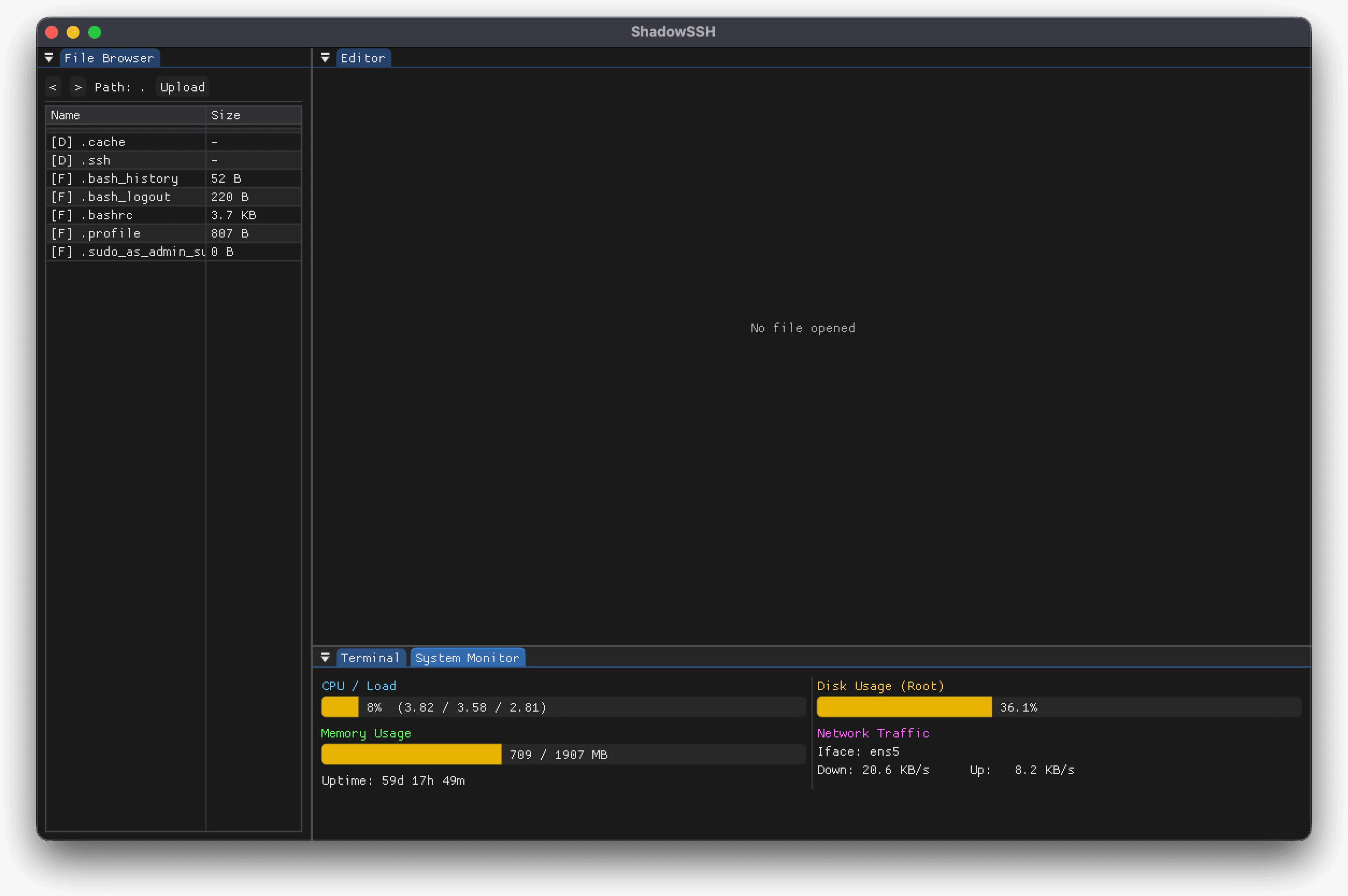
A dedicated SSH channel pulls CPU, load average, memory, root disk and network throughput from the remote host and renders them right next to your terminal. No extra ssh into top, no second window.
When the box you are working on is unhealthy, you know inside the first second you connect.
- Real numbers, every second. No averaging tricks. The bar reflects the box.
- CPU, load, memory, disk, network. The five you care about, no clutter.
- Uptime + interface name shown, because half the bugs you debug are answered by these two.
CPU / Load
load: 3.82 · 3.58 · 2.81
Disk Usage (Root)
18.2 GB / 50.4 GB
Memory Usage
swap: 0 / 0 MB
Network Traffic
Iface: ens5
Down: 20.6 KB/s·Up: 8.2 KB/s
Uptime: 59d 17h 49m
04 · Privacy
Honest software, no strings.
ShadowSSH was built because the alternatives quietly route your sessions through someone else's cloud. This one does not. The four lines below are not aspirations, they are how the code actually behaves.
No telemetry, ever
ShadowSSH never phones home. No analytics, no auto-update beacon, no metrics endpoint. The binary you download is the binary you run.
OS-native secret store
Credentials live in macOS Keychain, Windows DPAPI, or a secured file on Linux. ShadowSSH reads them when you connect and forgets them when you close.
Strict host-key checking
Known hosts only. No silent first-connection trust, no “type yes to ignore” prompts. A fingerprint that does not match is a fingerprint that does not connect.
Your keys, your machine
Private keys are read from disk and stay in process memory. They are never serialised to a cloud, a remote agent, or a vendor's server.
05 · Download
One archive, extract and run.
ShadowSSH ships as a single archive per platform. Unpack it anywhere, run the binary, you are connected. No installer, no elevated permissions, no background services left behind.
- View on GitHub
macOS · Apple Silicon
tar.gz · arm64
- View on GitHub
macOS · Intel
tar.gz · x86_64
- View on GitHub
Linux · x86_64
tar.gz · x86_64
- View on GitHub
Linux · ARM64
tar.gz · aarch64
- View on GitHub
Windows · x86_64
zip · x86_64
The macOS build is ad-hoc signed; the Windows build is not yet notarised. The first launch shows the usual Gatekeeper / SmartScreen warning. Confirm once and the OS remembers it for every subsequent launch.